
Is Fast Charging Actually Killing Your iPhone Battery?
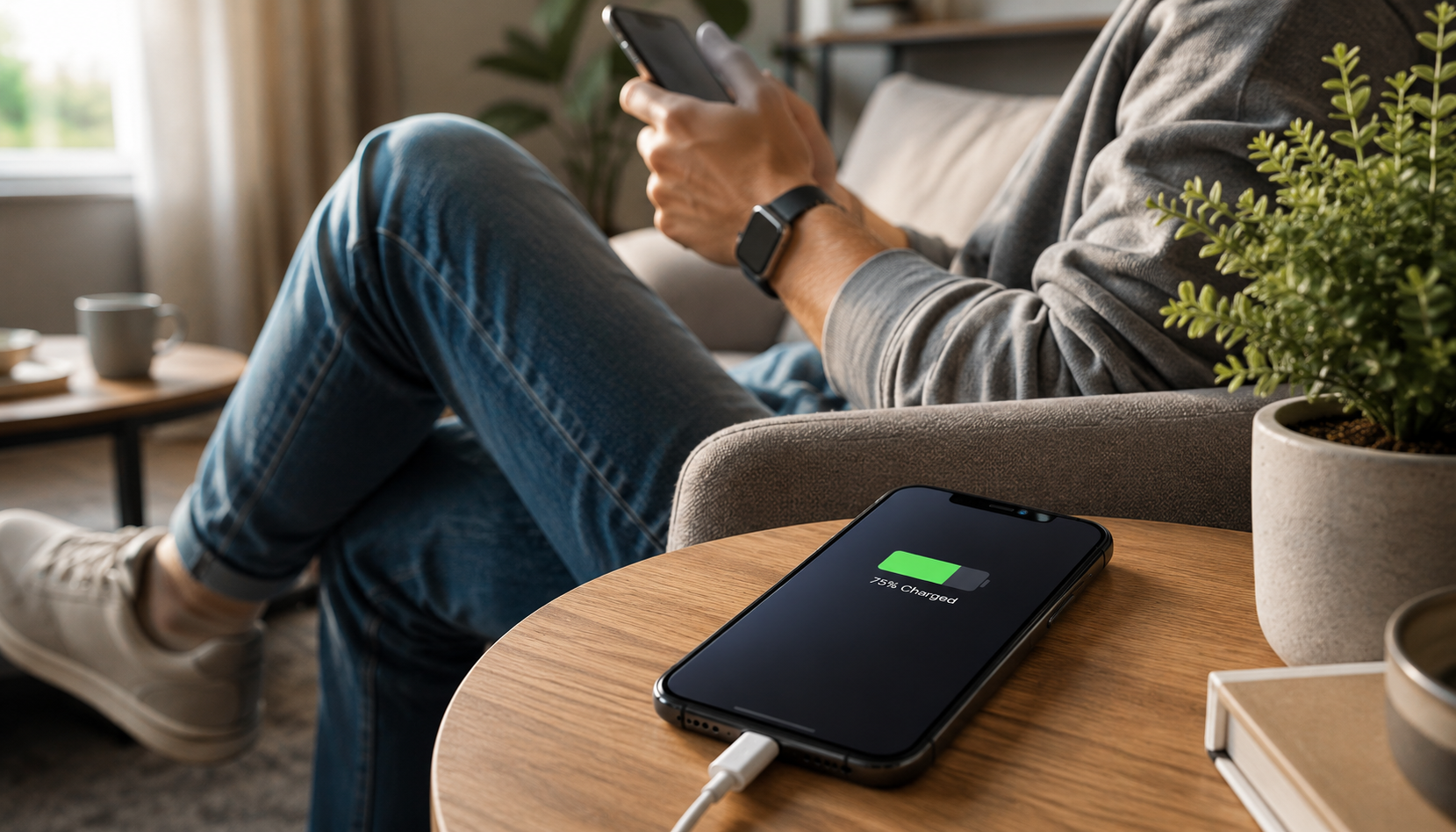
In the early days of smartphones, charging your phone was slow and usually done overnight. You’d plug it in before bed and expect it to be fully charged by morning.
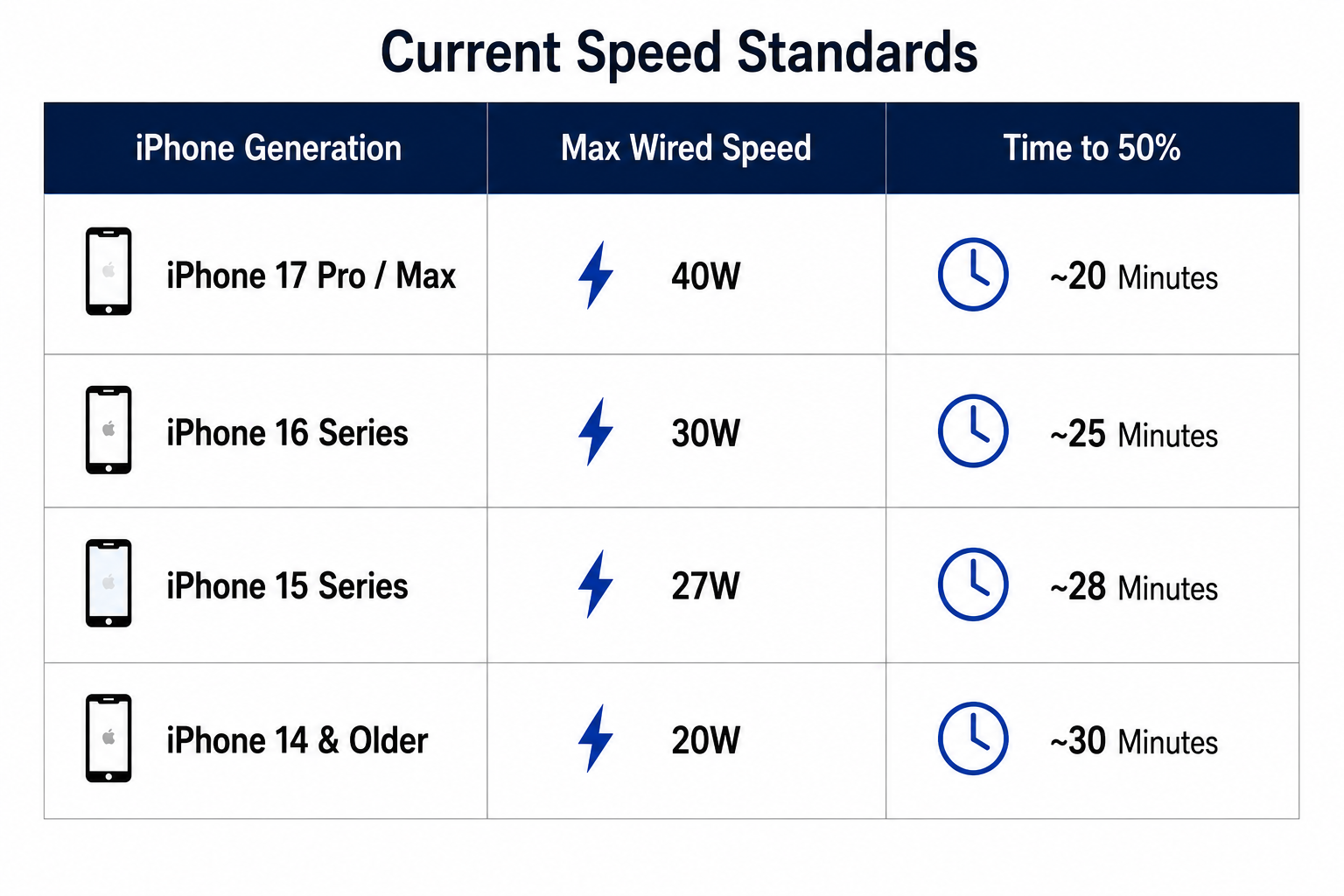
Today, things have changed. With modern iPhones, you can get up to 50% charge in just 20 minutes. But as charging speeds have increased (from 5W to 40W), many users have started to worry: Is fast charging damaging my battery?
If you’ve noticed your iPhone getting warm while fast charging, you’re not imagining it. That heat is real, and it’s part of the science behind how batteries work.
But here’s the key point: the answer isn’t a simple yes or no. It’s more like “yes, it’s safe because of smart engineering.”
Modern iPhones are designed to handle fast charging. They use built-in systems to control heat, manage power flow, and protect battery health over time. So, while fast charging does create more heat than slow charging, your phone is built to manage it safely.
For in-depth knowledge, let’s go ahead!
The Anatomy of a Charge: How Fast Charging Works?
Think of a lithium-ion battery like a sponge. When it’s dry, it can absorb water very quickly. But as it fills up, you need to slow things down to avoid overflow. Fast charging works similarly to it.
Fast charging works in two main phases:
Phase 1: The Blast (0% to 80%)
This is where fast charging really happens. When your battery is low, your iPhone pulls in higher power (up to around 40W in newer models). At this stage, the battery can handle it easily because it’s empty and has low resistance.
Phase 2: The Trickle (80% to 100%)
Once the battery reaches about 80%, things slow down. Your iPhone’s internal system tells the charger to reduce power. This slower charging protects the battery and keeps it stable.
It means fast charging isn’t constant. Your iPhone is smart enough to charge quickly when it’s safe and slow down when needed. This balance is what helps protect your battery over time.
The Real Villain is Heat, Not Speed
A common myth is that fast charging damages your battery because of the electricity. In reality, electricity isn’t the problem; heat is.
When a lot of power flows into your phone quickly, it naturally creates heat. And over time, high temperatures can speed up chemical wear inside the battery, reducing its lifespan.
Now, what are the safe limits? Apple says iPhones work best between 16°C and 22 °C. If the battery temperature goes above 35°C, it can start causing long-term damage.
How does your iPhone protect itself?
1. Thermal Throttling
If your phone gets too warm during fast charging, it automatically slows down the charging speed to reduce heat.
2. Charging On Hold
If you’re charging in a hot place (like inside a car or under direct sunlight), you might see a message saying charging is paused until the phone cools down.
3. Smart Power Control (USB Power Delivery)
Modern chargers use a system where your iPhone and charger constantly communicate. This ensures your phone only receives the amount of power it can safely handle at any moment.
Fast charging itself isn’t harmful. The real risk comes from excess heat, but your iPhone is designed to actively manage and reduce that risk while charging.
What the Data Says About Long-Term Battery Health?
A big concern people have is whether fast charging makes their iPhone battery degrade faster. Let’s look at it in simple terms.
Most lithium-ion batteries are designed to keep about 80% of their original capacity after 500 to 1,000 charge cycles.
Now compare two typical users:
- User A (Slow charging, 5W): Battery drops to 80% after around 800 cycles (about 2.5 years)
- User B (Fast charging, 30W): Battery reaches 80% after around 750 cycles
The difference is small. We’re talking about a minor gap, just a few percentage points over a couple of years.
For most people, the speed and convenience of fast charging easily outweigh this small difference in long-term battery health.
The 80/20 Rule and Smart Charging Features
Modern iPhones charge smartly. One important feature is Optimized Battery Charging. This helps reduce stress on the battery, especially when it stays at 100% for long periods.
How it works:
- Your iPhone learns your daily routine
- If you plug in at night (say 11 PM), it quickly charges up to 80%
- Then it pauses charging
- Just before you wake up, it slowly charges the remaining 20%
This avoids keeping the battery at 100% for too long, which can wear it out faster. On recent iPhone models (like iPhone 15 and later), you can even set a limit (like 80% or 90% max charge) so your battery never reaches full capacity unless you want it to.
Wireless Fast Charging: A Different Story
Wireless charging is convenient, but it works differently from wired charging. And that affects battery health.
With wired charging, power flows directly through a cable, making it more efficient. But with wireless charging (like MagSafe or Qi2), energy is transferred through magnetic fields. This process is less efficient and creates more heat.
More heat means more stress on the battery over time.
So even if the charging speed looks similar, the impact is not the same:
- A 30W wired charger is generally cooler and more efficient
- A 25W wireless charger can generate more heat across the back of your phone
If your goal is better long-term battery health, wired charging is usually the better option. Wireless charging is still safe, but it tends to produce more heat, which is the main factor that affects battery life over time.
Expert Tips to Keep Your Battery Healthy
If you want to enjoy fast charging without harming your battery over time, these simple habits can make a big difference:
1. Remove thick cases while charging
Heavy or rugged cases trap heat. Taking the case off while fast charging helps your phone stay cooler.
2. Avoid gaming while charging
Playing high-graphics games already heats up your phone. Charging at the same time adds even more heat. This combination can speed up battery wear.
3. Use certified chargers and cables
Stick to trusted brands like Apple, Anker, or Belkin. Certified products follow safety standards and protect your phone from issues like overvoltage.
4. Keep your phone away from heat
Avoid charging your phone in hot places, like a car dashboard in direct sunlight, especially while using apps like GPS. Heat is the biggest enemy of battery health.
The bottom line: Fast charging is safe, but managing heat is key. A few small habits can go a long way in keeping your battery healthy for years.
The Final Verdict
Is fast charging safe for iPhones? Yes.
Apple has designed iPhones with multiple layers of protection to make sure fast charging is safe. From smart power control to temperature management, your phone is built to handle higher charging speeds without putting the battery at serious risk.
It’s true that fast charging can create more heat (and heat is what affects battery life), but for most users, the impact is very small.
Your iPhone is smart enough to protect itself. It only draws the power it can safely handle and slows things down when needed.
In 2026, you don’t need to worry about using a fast charger. Whether it’s a quick top-up before heading out or daily use, your iPhone is fully capable of managing it safely.
So yes, go ahead and use that 40W charger when you need it. Your iPhone can handle it.
Shop Without Worry with Chips!
When it comes to choosing the right charger or power bank, performance matters, but so does where you buy it. Chips offers a wide range of high-quality options, from advanced Qi2 wireless chargers to powerful GaN travel adapters.
Whether you need something premium like the Baseus Nomos Qi2 140W 5-in-1 Desktop Charger, a versatile pick like the Energea MagCube 3-in-1 MagSafe Charger, or a fast everyday option like the Ugreen 100W GaN Wall Charger, Chips ensures you get reliable performance.
With genuine products, expert advice, and strong after-sales support, Chips is the smart place to upgrade your charging setup in Kuwait. Browse now!
Frequently Asked Questions
1. Does fast charging make my iPhone get hot? Is that normal?
Yes, it is completely normal. Your iPhone may feel warm, especially between 0% and 80%, when it is charging faster. This happens because the battery is taking in more energy in a short time. Apple has built-in safety systems that slow down charging if the temperature rises too much. If your phone feels too warm, remove the case or place it on a cooler surface.
2. Can I use my MacBook charger (60W or higher) to charge my iPhone?
Yes, you can safely use a high-wattage MacBook charger. Your iPhone only takes the power it needs. For example, newer models like the iPhone 15 Pro or iPhone 17 Pro will draw their supported wattage and ignore the extra. This means there is no risk of overloading your battery.
3. Does fast charging every day reduce battery health faster?
Fast charging creates slightly more heat compared to slow charging, which can affect battery health over time. However, the difference is very small. Most users may see only about 2% to 4% more wear over a few years. For daily use, the convenience of fast charging is usually worth it.
4. Should I stop charging my iPhone at 80%?
Lithium-ion batteries perform best when kept between 20% and 80%. Charging to 100% regularly can add stress over time. Newer iPhones include an 80% charging limit feature, which helps extend battery life if you plan to use your phone for several years.
5. Is it better to charge overnight with a slow charger?
Using a slow charger overnight produces less heat, which is good for battery health. However, modern iPhones already manage this with optimized charging. Your phone pauses charging at around 80% and completes it just before you wake up, giving you a full charge while reducing long-term battery stress.`